
Starter
$299 / month
Billed monthly
Choose a planATHENAIQ TRUCKING OS
Loads, dispatch, fleet records and billing in one workspace. ELD connections and after-hours AI driver phone support available.
Plans from $299/month. Monthly or annual payment upfront. Billing & cancellation details.
A silent cinematic introduction to AthenaIQ Trucking OS, from the truck and warehouse to the office and the current AthenaIQ website.
TRUCKING OS
One company subscription. Choose your fleet size and billing period.
Every standard plan: the core owner workspace, load and dispatch views, fleet records, billing views, product guide and interface tours.
Pay month to month
Billed monthly
Choose a planBilled monthly
Choose a planBilled monthly
Choose a planCustom pricing and billing terms
Request a written proposalConfirm staff/driver access and voice usage for your fleet before purchase. Plan details and billing terms →
Monthly or annual payment upfront. No free trial. Final total and applicable taxes shown at checkout.
Plans renew automatically. Cancel by emailing info@athenaiqtech.com; cancellation takes effect at the end of the billing period.
No partial-period refunds except where required by law. See the data-export terms.
CLOSE TO THE WORK
Explore the places where your fleet’s work comes together. These are actual Trucking OS screens.
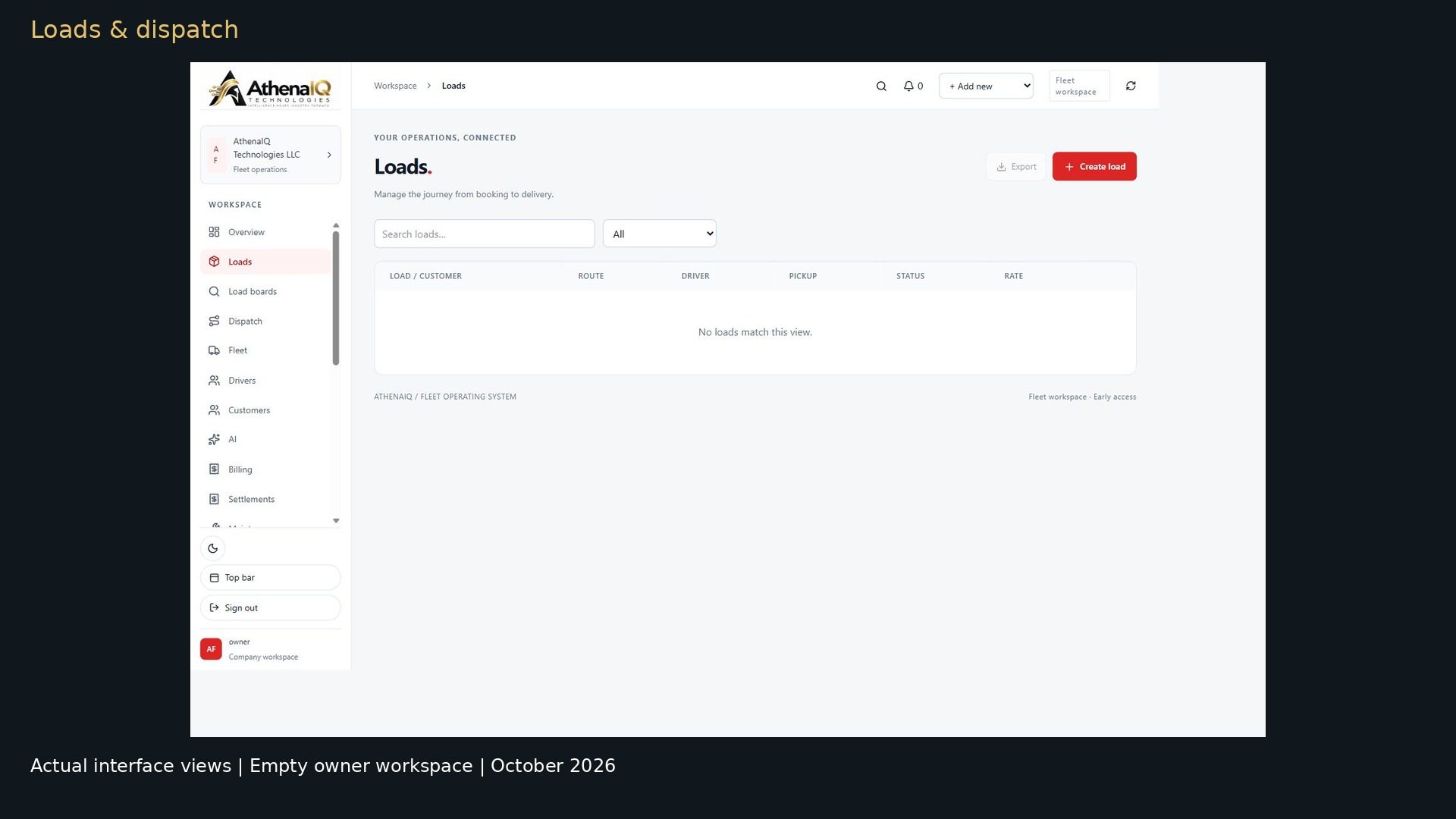 01 / LOADS & DISPATCH
Load details and a dispatch board bring the assignment workflow into view.
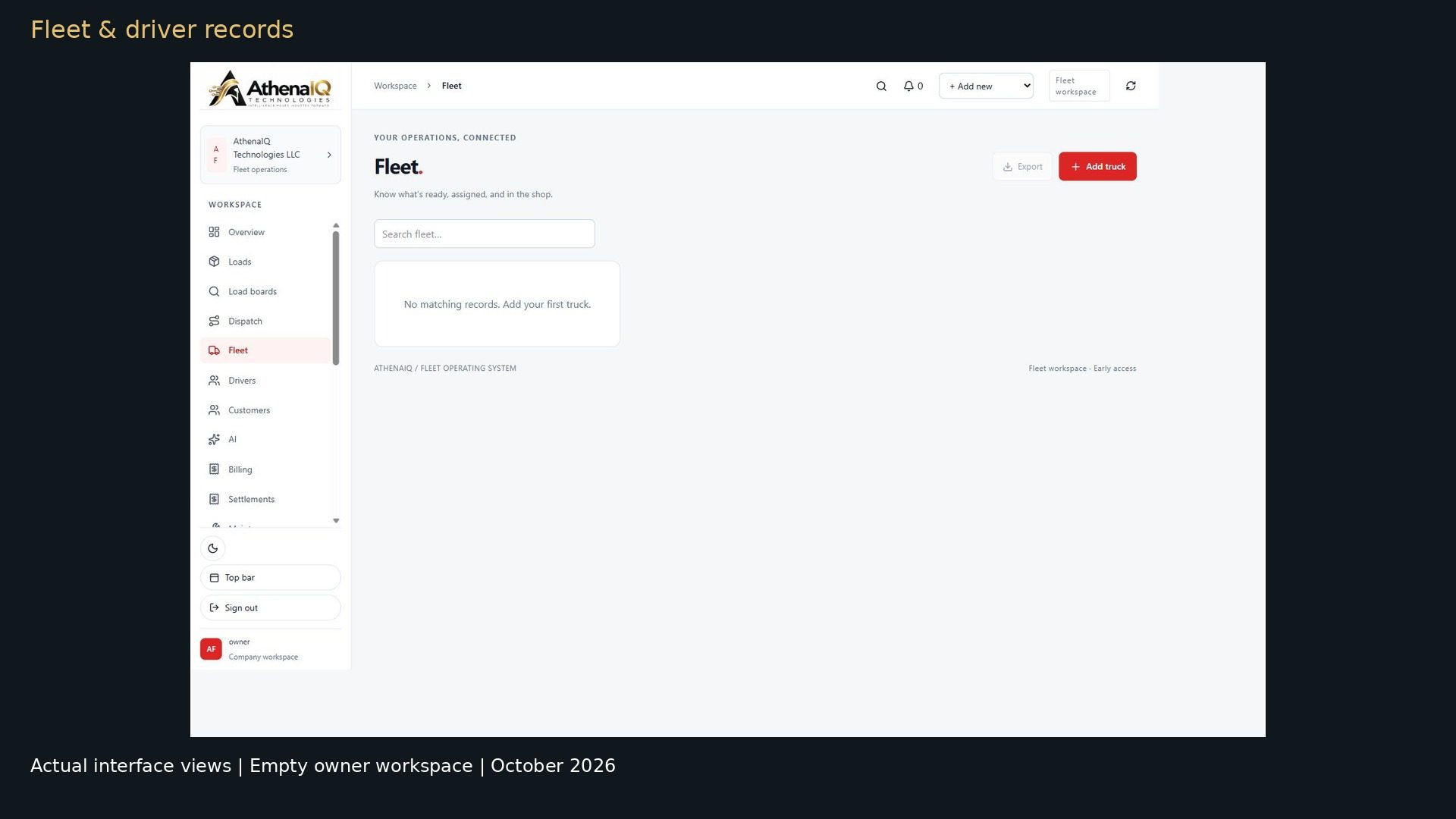 02 / FLEET & DRIVERS
Dedicated vehicle and driver lists give each part of your operation a place.
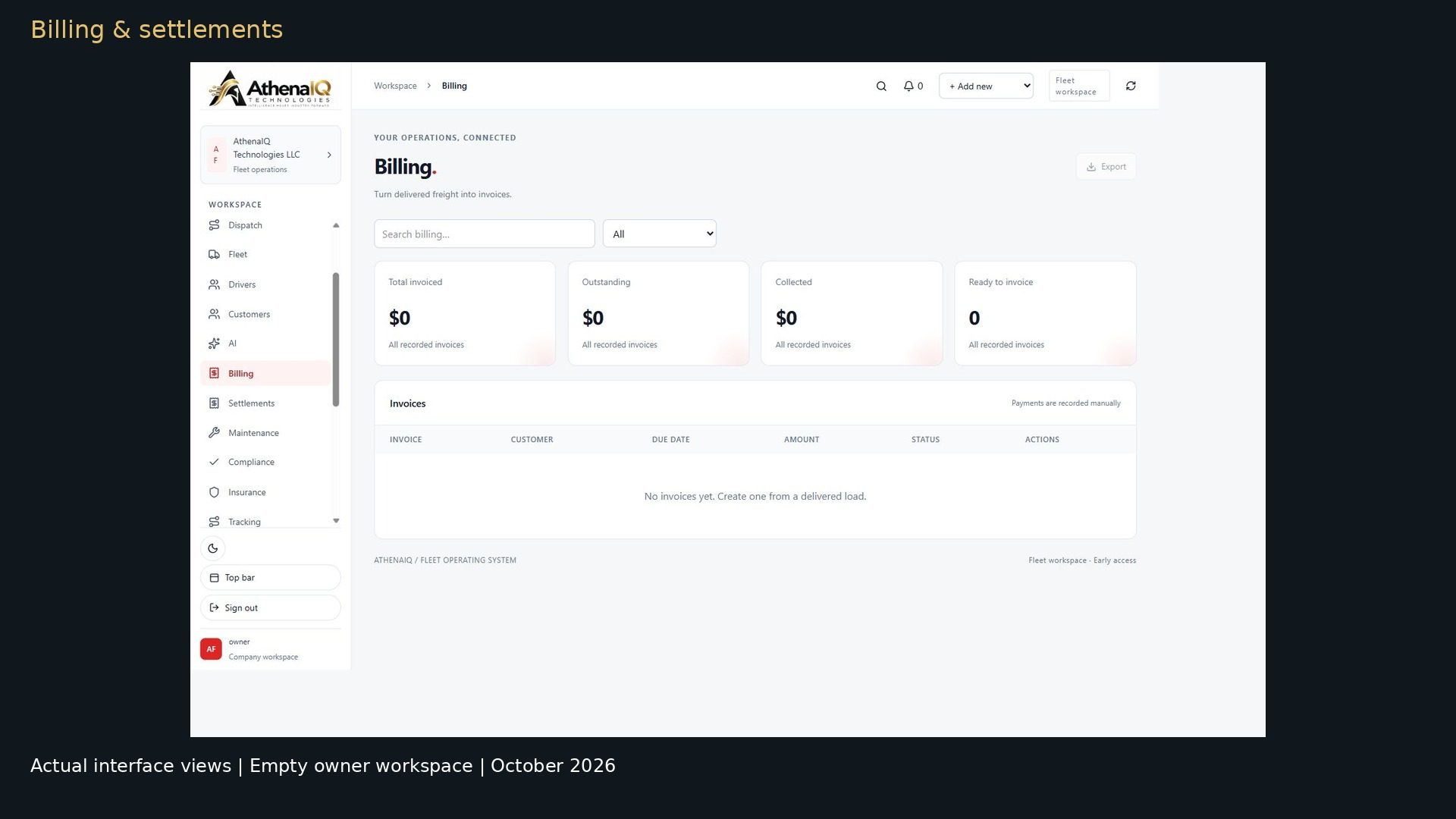 03 / BILLING & SETTLEMENTS
Invoice and settlement views complete the owner-workspace tour.
Actual interface captures · Empty owner workspace · Select a screen to enlarge.
AFTER-HOURS AI VOICE SUPPORT
Drivers can call the AI for assigned load details and delivery ETA. Log-time answers use connected fleet data. Urgent roadside requests can be relayed to dispatch or the owner.
Confirm covered hours, included usage and extra charges before subscribing.
Explore driver phone support →SEE THE ACTUAL INTERFACE
A 42-second tour of the owner workspace, with chapters, captions and transcripts.
You can still read the transcripts or explore the screenshots.
42 seconds · Three chapters · Captions and transcripts
The actual load list in an empty owner workspace.
An unsaved load form. No customer, driver or vehicle is selected.
The dispatch board. No assignment or completed transaction is demonstrated.
The actual fleet list. This empty workspace contains no vehicle records.
The actual driver list. No driver record is added in this tour.
The invoice view. No payment entry is shown.
The settlement view. No funds are transferred in this tour.
Captured October 2026 · Interface navigation in an empty owner workspace. Completed transactions and customer results are not shown.
ELD CONNECTIONS & SETUP
ELD integrations are available. Check provider compatibility and the data available to your account.
ANSWERS BEFORE YOU START
Yes. Watch the interface tours, read the product guide and compare plans online. Send any unresolved question in writing. A call is optional help.
Actual Trucking OS load, dispatch, fleet, driver, invoice and settlement screens in an empty owner workspace. The tours do not show a saved transaction, a working provider connection or a customer outcome.
Send a setup question before sharing records. Confirm the supported format, the import scope, any assistance and any associated cost in writing. Do not send confidential driver documents through the public contact form.
Keep the ELD and accounting systems your business needs. ELD integrations are available for supported providers. Check compatibility and connection status.
No free trial is offered for new Trucking OS subscriptions. Monthly and annual plans are paid upfront and renew automatically until canceled. Review the amount due and the renewal terms before confirming payment.
Cancel by emailing info@athenaiqtech.com. Cancellation takes effect at the end of the billing period. There are no refunds for partial periods except where required by law. The published terms describe a 30-day data-export window after cancellation takes effect; contact support to arrange your export. Read the full terms and data details.
These tours show the owner view only. Staff and driver access: ask in writing before purchase.
Email info@athenaiqtech.com or use the written question form. For Enterprise, include your fleet size and requirements and request a written proposal. No guaranteed response time is published.
YOUR NEXT STEP
Explore the screens, read the answers and select the plan that fits your fleet.
A cinematic introduction to AthenaIQ, separate from the software walkthroughs above.